Nvidia recently announced their Personal AI Router, or PAIR for short. The concept is very attractive if you have more than one machine capable of running a decent LLM. This short post explains how I'm using Nvidia Pair to route Claude Code requests to 2 different models on 2 separate machines for coding tasks.
I have been toying around with a DGX Spark for about a year, without using it for serious work, mainly because it's slow due to low memory bandwidth. Still, being able to run a model like GLM 5.3 Flash or DeepSeek 4.1 Flash which require more than 200 GB of vRAM on a cluster of 2 DGX Sparks finally pushed me to get a second one. The cluster setup was made easy by Nvidia Sync app through a setup wizard.
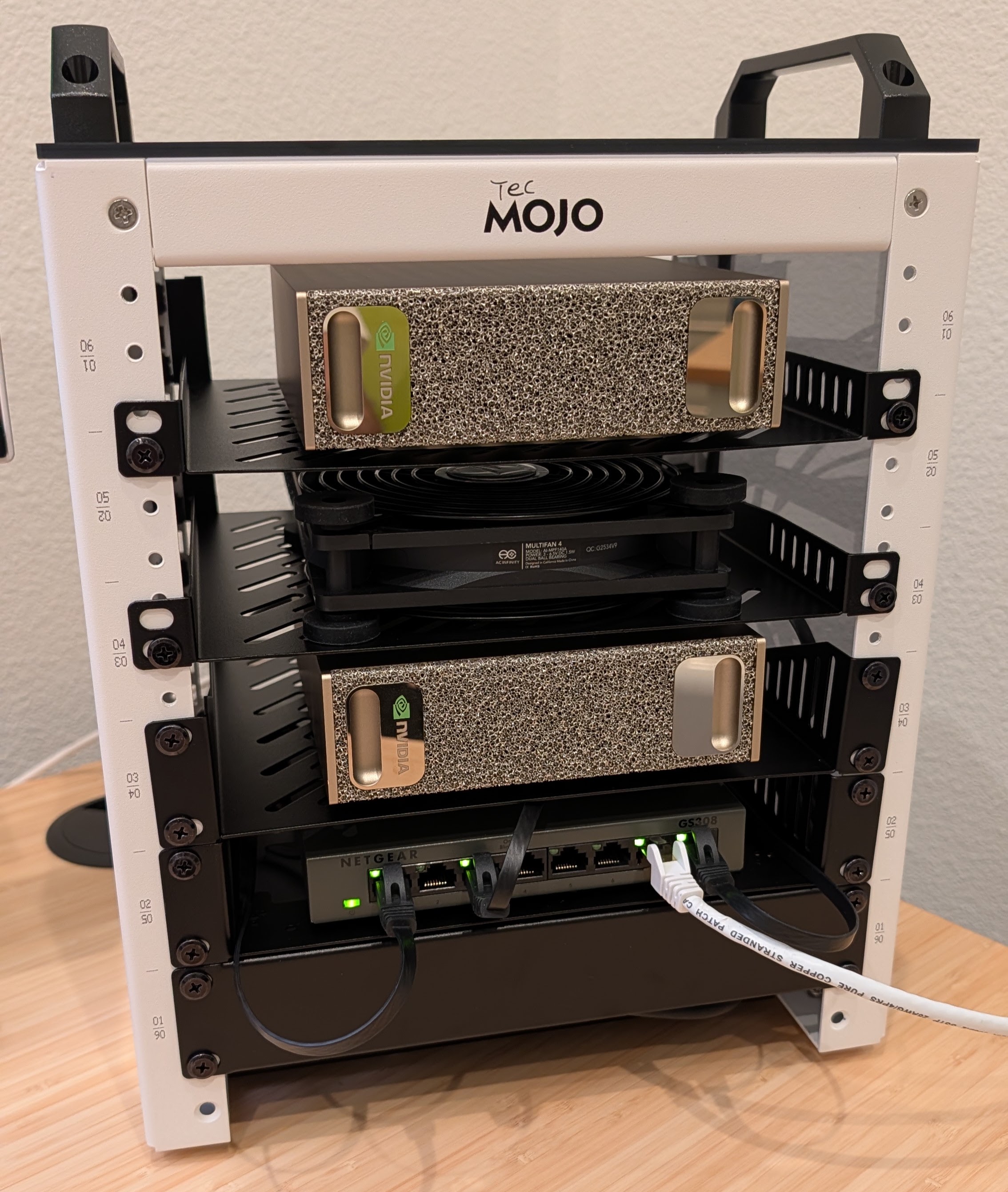
There is a very active community around DGX Spark who race to prepare latest models to run on these machines. MiaAI-Lab has been very active in putting together scripts and recipes to run various powerful models on single or cluster setup. After experimenting with a few, I decided to use GLM 5.3 Flash for a new complex coding project. I had a bit of trouble getting the model to start due to dependencies, so I used Google's Antigravity to fix the issues (is it AI fixing AI?).
At around 20+ tokens per second though, one would need a lot of patience to use it. On the other hand, you get a local model which is surprisingly good. I figured I can just kick off a plan and these machines can work while I'm not around. Here is the llama-benchy results showing prompt processing and token generation speeds for the GLM 5.3 Flash model on a cluster of 2 DGX Spark machines:
| model              |   test |            t/s |     peak t/s |       ttfr (ms) |    est_ppt (ms) |   e2e_ttft (ms) |
|:-------------------|-------:|---------------:|-------------:|----------------:|----------------:|----------------:|
| GLM-5.3-Flash-EXL3 | pp2048 | 774.02 ± 10.54 |              | 2397.96 ± 63.85 | 2394.30 ± 63.85 | 2397.96 ± 63.85 |
| GLM-5.3-Flash-EXL3 |   tg32 |   26.11 ± 4.30 | 27.39 ± 4.57 |                 |                 |                 |
I can run Qwen 3.8 27B model on my gaming PC (24GB Titan RTX) using ollama which generates around 40+ tokens per second:
| model       |   test |           t/s |     peak t/s |       ttfr (ms) |    est_ppt (ms) |   e2e_ttft (ms) |
|:------------|-------:|--------------:|-------------:|----------------:|----------------:|----------------:|
| qwen3.8:27b | pp2048 | 674.28 ± 3.00 |              | 2831.81 ± 49.30 | 2828.83 ± 49.30 | 2831.81 ± 49.30 |
| qwen3.8:27b |   tg32 |  42.68 ± 5.46 | 44.06 ± 5.64 |                 |                 |                 |
For long running projects like this, you can use Claude's hooks to send notifications when it's done or is waiting for your instructions or approvals. A free service like ntfy.sh can deliver notifications to your phone:
  "hooks": {
    "Notification": [
      {
        "matcher": "permission_prompt|elicitation_dialog|idle_prompt",
        "hooks": [
          {
            "type": "command",
            "command": "curl -d 'Claude is waiting for your input!' ntfy.sh/your-very-own-unguessable-link"
          }
        ]
      }
    ],
    "Stop": [
      {
        "matcher": "",
        "hooks": [
          {
            "type": "command",
            "command": "curl -d 'Claude is waiting for your input!' ntfy.sh/your-very-own-unguessable-link"
          }
        ]
      }
    ]
  },
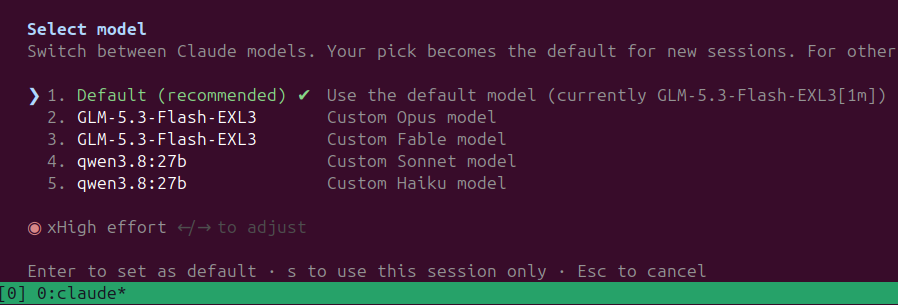
Claude CLI gives me the choice to point to local models, and with Nvidia Pair making it possible to "cluster" my Windows PC with my DGX Spark cluster, I thought I can use the extra processing power to help with Claude's simpler tasks.
  "env": {
    "ANTHROPIC_BASE_URL": "http://127.0.0.1:11434",
    "ANTHROPIC_AUTH_TOKEN": "any-dummy-token",
    "ANTHROPIC_DEFAULT_FABLE_MODEL": "GLM-5.3-Flash-EXL3",
    "ANTHROPIC_DEFAULT_OPUS_MODEL": "GLM-5.3-Flash-EXL3",
    "ANTHROPIC_DEFAULT_SONNET_MODEL": "qwen3.8:27b",
    "ANTHROPIC_DEFAULT_HAIKU_MODEL": "qwen3.8:27b",
    "CLAUDE_CODE_AUTO_MODE_SERVER": "0",
    "CLAUDE_CODE_DISABLE_NONESSENTIAL_TRAFFIC": "1"
  },
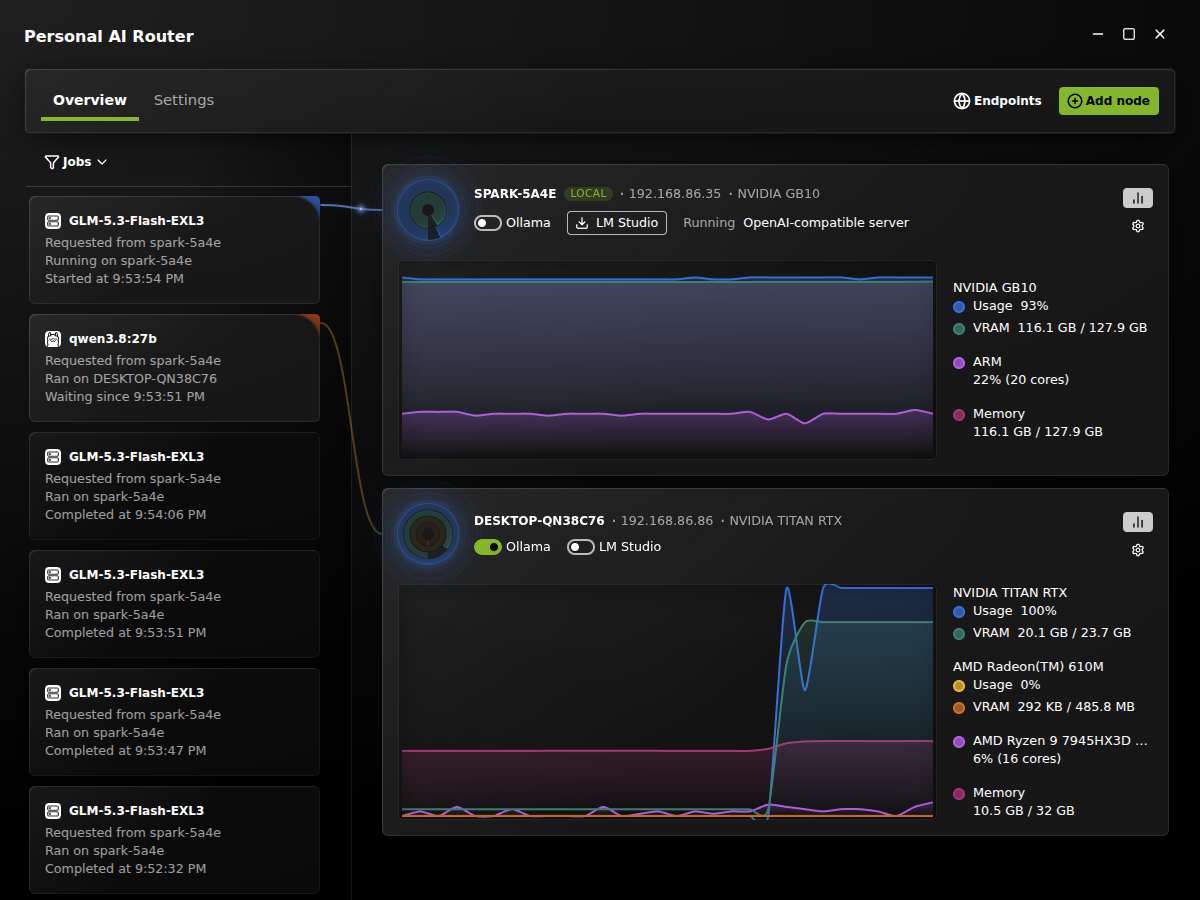
As of this writing, version 0.1.1 of Nvidia Pair does not support vllm: it comes with ollama and LM Studio. They have made it super easy to install ollama and/or LM Studio on your machines and allow clients use models served by any of them. In my case, I needed vllm, as it's the engine used in most DGX Spark model recipes. On the Windows machine though, I'm fine running the Qwen model using ollama which is packaged with NVPAIR. I also needed both the vllm and ollama models be sharing the same proxy in PAIR, so I can point my Claude to a single URL and use 2 different models on 2 different servers. Since Nvidia Pair is open source, and I didn't want to wait and see if vllm support will be added the way I needed it, I used Claude with the local GLM 5.3 Flash to make the changes for me. And to my delight, it did it in one shot! (though it took a whole day!)
And the result is exactly what wanted. The UI app shows my vllm server as "OpenAI-compatible server" behind the same proxy as ollama. It shows models served by my vllm server and allows me to modify the port number. I have the code in my fork of Nvidia Pair for anyone interested.
2b9fb609-b0dc-46ee-924a-74b7abc57558|0|.0|96d5b379-7e1d-4dac-a6ba-1e50db561b04